Cold Email Follow-Up Sequences: Timing, Touch Count, and Stopping Rules
Most replies come from follow-ups, not the opener. This guide covers how many touches to send, when to space them, what each email should add, the stopping rules that keep automation polite, and how to build the sequence in SendMatico.
Why follow-ups carry the campaign
Most replies do not come from the first email. The opening message competes with a crowded inbox: prospects skim it during triage, open it with the intent to reply later and forget, or simply never see it. Follow-ups are how the same campaign earns a second, third, and fourth chance to surface at the right moment.
The split is not a guess. The Instantly 2026 Benchmark Report, as cited in GrowthList’s follow-up timing guide, found 58% of campaign replies arrive on the first email and 42% on follow-ups. That makes the follow-up sequence — not the opener alone — the part of the campaign that recovers nearly half of your pipeline.
A follow-up sequence is a set of scheduled touches sent only to prospects who have not replied. The sequence ends for each person the moment they engage, opt out, or run through every touch. Everything in this guide is built around that rule: follow-ups chase non-responders, never active conversations.
How many follow-ups to send
The working standard for cold outreach in 2026 is three to five touches total — the initial email plus two to four follow-ups — spread over two to three weeks. That range comes from Evaboot’s 2026 cold email best-practices guide and matches the cadence patterns reported across vendor benchmark write-ups. It is a starting point for planning, not a law: adjust it to your audience, ticket size, and list size.
There is a ceiling, and crossing it costs more than the extra sends. GrowthList’s guide, citing Snov.io’s 2026 analysis, reports that a fourth follow-up correlates with a 1.6% spam rate and a 2% unsubscribe rate — signals that train inbox providers to filter your future mail. Persistence past the point of disinterest does not just waste effort; it degrades the reputation the rest of your outreach depends on.
Spacing and timing
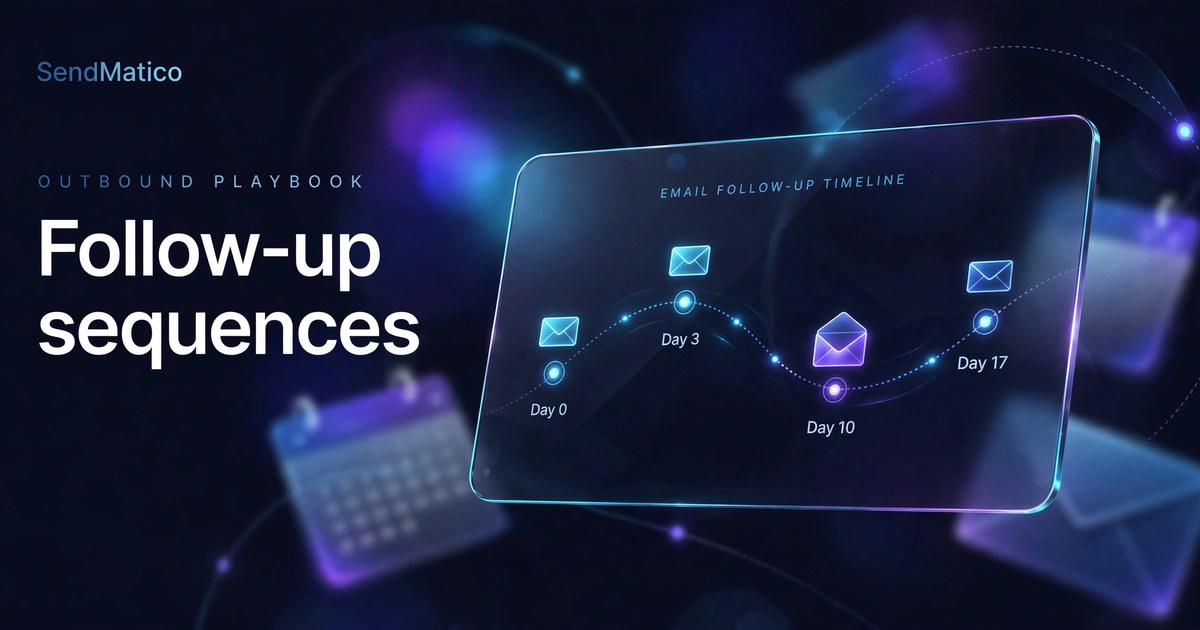
Follow-ups should not land the morning after the opener. A next-day follow-up reads as desperation, and tightly clustered sends look like aggressive automation to spam filters. As a suggested starting point — not a product minimum and not a universally optimal interval — give the first email a full three days: enough time for the prospect to process it, not enough for it to go cold.
| Touch | Timing | Purpose |
|---|---|---|
| Initial email | Day 0 | Clear value proposition, one low-friction ask |
| Follow-up 1 | Day 3 | Surface the thread again; add one new piece of evidence |
| Follow-up 2 | Day 10 | A different angle — case study, insight, or qualifying question |
| Follow-up 3 (optional) | Day 17 | Break-up email: polite close, door left open |
This is the widely cited 3-7-7 cadence (Day 3, Day 10, Day 17). GrowthList’s guide, citing 2025 outreach benchmarks, reports it captures roughly 93% of total replies by Day 17 — the reason the gaps grow longer: later touches exist for prospects whose circumstances change, and they need room to breathe. Space follow-ups in the prospect’s local timezone during working hours; our sending-windows guide covers setting the campaign timezone and active days so sequences land when people work.
What each touch should do
Timing decides when a follow-up arrives; content decides whether it earns a reply. Every touch should be able to answer one question: why is this email arriving today instead of never? If the honest answer is “to bump the thread,” do not send it.
The per-touch rules
- Reference the previous email so the prospect does not have to reconstruct the thread — one clause is enough.
- Add something genuinely new each time: a relevant case study, a specific insight about their industry, or a different angle on the problem.
- Keep follow-ups shorter than the opener. Two or three tight sentences beats a re-pitched paragraph.
- End with a single low-friction ask. One clear next step outperforms three options.
- Change the subject line on later touches. If the first angle did not land, a new angle gets the second chance.
The final touch deserves its own form: the break-up email. Acknowledge that you have not heard back, say you will stop reaching out, and leave the door open for later. It works because it removes pressure instead of adding it — prospects who were interested but deprioritised you often reply to a genuine close-out.
When to stop the sequence
Stopping rules are the most neglected half of sequence design. A sequence without them is just a drip campaign that annoys people on schedule. Define these exits before the campaign goes live:
- A real reply — any reply, positive or negative — ends automated follow-ups for that lead immediately. Continuing a sequence after someone answers damages credibility fast.
- An unsubscribe or “remove me” request is permanent. The lead leaves the sequence and stays out of future ones.
- A hard bounce ends the sequence for that address. Repeated sends to dead addresses are a deliverability signal you do not want.
- The touch cap is a hard cap. When the last scheduled follow-up goes out with no reply, the lead moves to a nurture list or a timed re-engagement window — not another automated touch.
The reply rule is the one that matters most. SendMatico’s public guidance for multi-client campaigns states it plainly: pause or stop automated follow-ups when a lead engages. Detecting that engagement reliably is the job of reply detection — a lead that answered should never receive another automated “just bumping this.”
Building the sequence in SendMatico
In SendMatico, follow-ups are a campaign-automation feature, not a manual chore. The Sequence tab holds the opener only — follow-ups are configured separately in the campaign's Follow-ups tab, and that configuration must be finished before the campaign starts: in the inspected version, pausing a campaign does not unlock follow-up editing. Follow-ups are delay-based: each touch goes out on its configured delay, and the sequence stops for a lead who replies, so each prospect only receives touches while they remain unengaged.
When you create a campaign, write the opener in the Sequence tab, then build each follow-up with its delay in the Follow-ups tab before you start the campaign. Either way, write each touch for the non-responder: short, additive, and carrying its own reason to exist. Because every campaign email consumes one credit — follow-ups included — a lean three-to-five-touch sequence is also the cost-efficient default. See the features page for the full automation tooling.
Finally, wire the stopping rules into the campaign itself rather than relying on memory. Reply detection should end the sequence for anyone who answers; unsubscribe handling should remove requesters from current and future sends. A sequence that stops itself is what separates automated persistence from automated pestering.
Follow-up sequence checklist
Run through this list before any campaign with follow-ups goes live.
Before you launch
- Sequence length is three to five touches total, with a reason for any extension.
- Follow-ups are configured in the Follow-ups tab — the Sequence tab holds the opener only — before the campaign starts.
- First follow-up waits about three days after the initial email (a suggested starting point, not a product minimum); gaps widen after that.
- Every follow-up adds something new — no bare “just checking in” bumps.
- Follow-ups are shorter than the opener and each ends with one low-friction ask.
- The final touch is a genuine break-up email, not a guilt trip.
- A reply stops the sequence automatically; unsubscribe and bounce handling are wired in.
- Send times fall inside the prospect’s working hours via the campaign timezone setting.
- No-engagement leads exit cleanly to a nurture list instead of receiving more automated touches.
Follow-ups are where cold email campaigns are won or lost. Give each touch a reason to exist, give each prospect room to breathe, and give every sequence a clean ending — and the half of your pipeline that lives in follow-ups will actually reach you.
Continue reading
More guides on agency cold email, deliverability, and outreach operations.
Cold Email First Campaign: How to Launch Your First Campaign Without Burning Your Domain
A first cold email campaign is a test, not a launch event. Launch in a deliberate order: set up authentication properly, consider a separate sending domain, start gradually, verify a small list, write a short sequence, set conservative sending settings, run pre-launch checks — and investigate launch-week results before you scale.
Cold Email Inbox Placement: Seed Tests, Postmaster Tools, and How to Find Where Your Mail Lands
Delivered is not the same as placed. Learn how to test cold email inbox placement with seed tests, spam-score checks, and Google Postmaster Tools — and how to read the pattern when mail lands in spam or Promotions.
Cold Email Sending Windows and Timezones: A Practical Setup Guide
Learn how to configure sending windows and timezones for cold email campaigns in SendMatico — schedule controls, daily caps, and practical setup patterns.
Ready to run outreach?
Start with free trial credits or book a demo to see SendMatico in your workflow.